
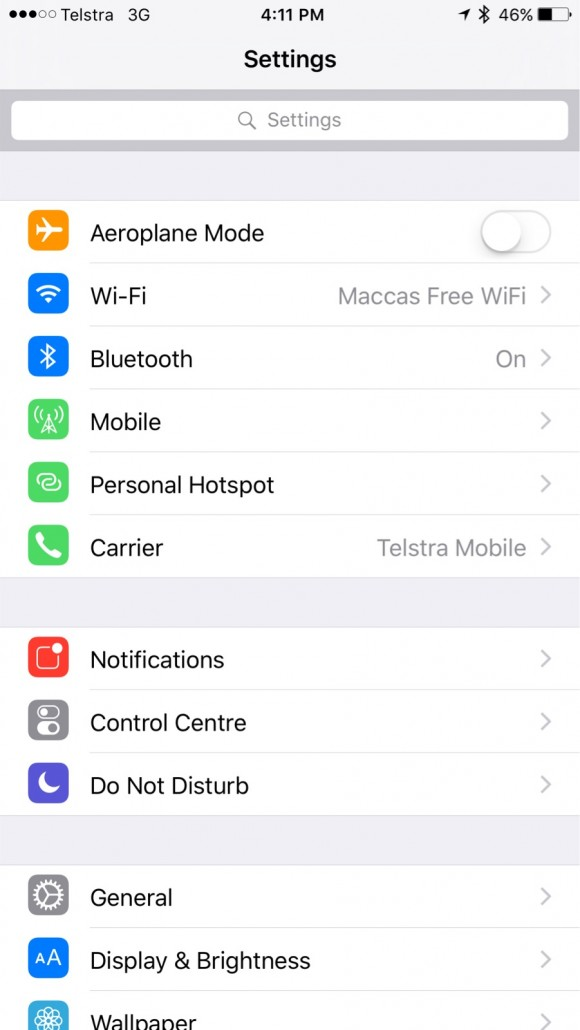
- Tap Settings
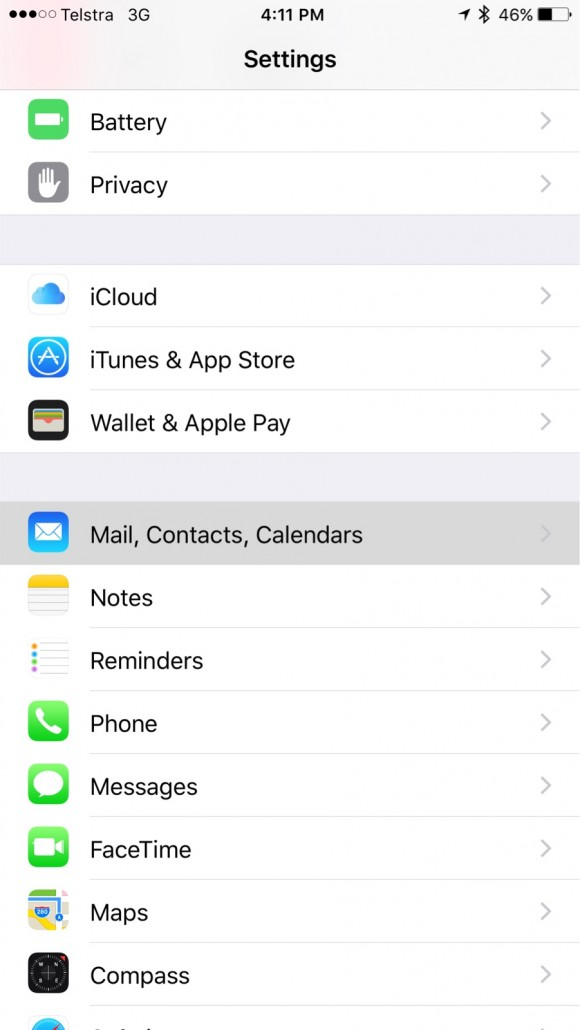
- Tap Mail, Contacts, Calendars
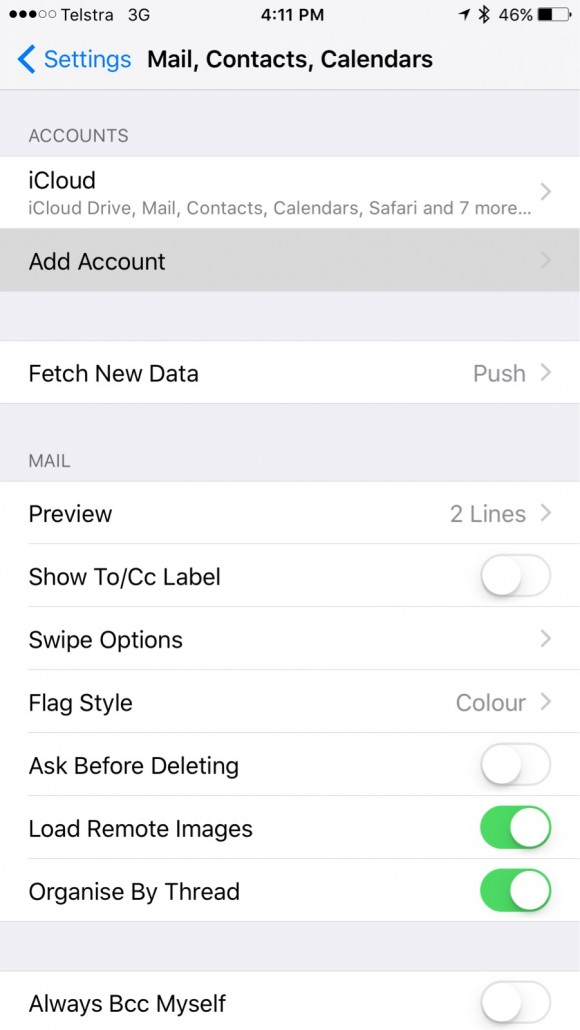
- Tap Add Account
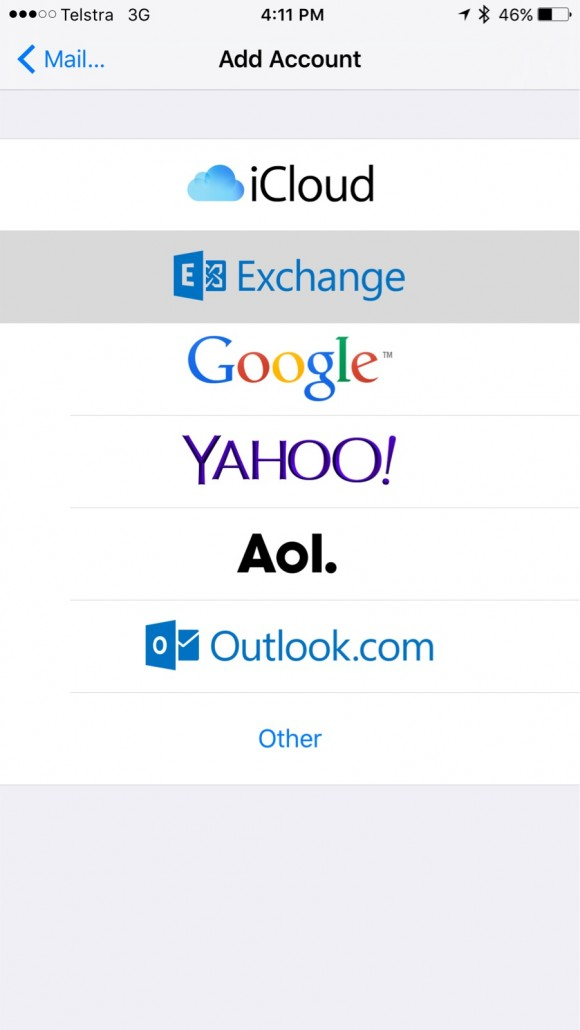
- Tap Exchange
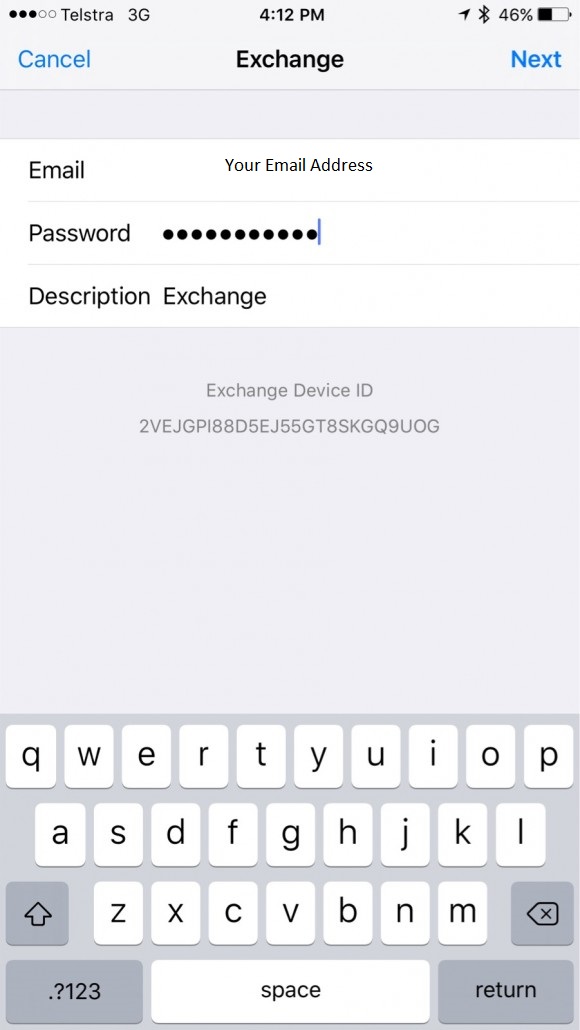
- Enter your Office 365 email address and password and tap Next.
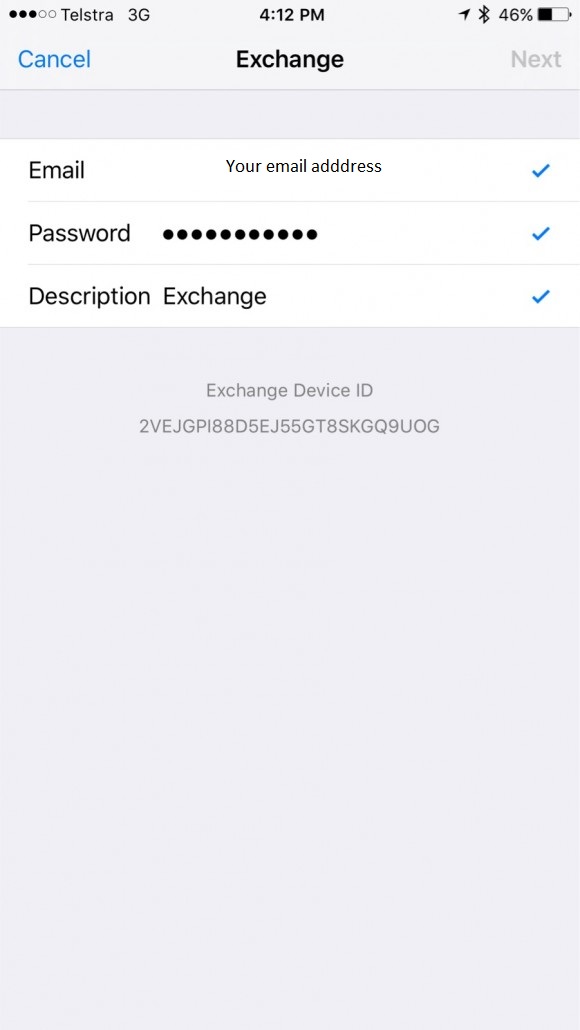
- Wait for it to show verified
- Select the services you want to sync to your iPhone or iPad
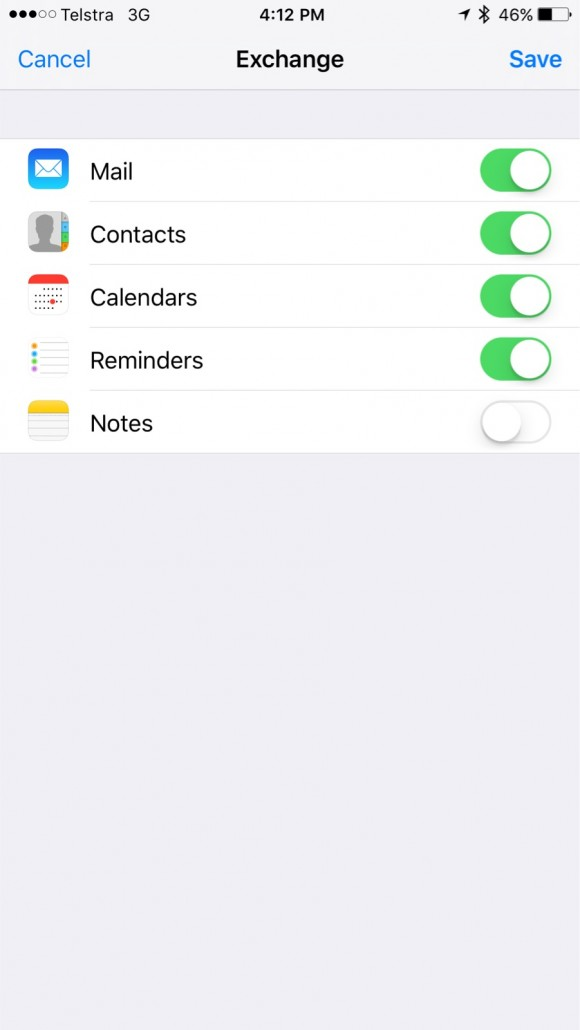
- Open the mail app on your phone to view your new mail account. Your Calendar will appear under the Calendar App, Contacts will appear under the Contacts app.
Setup Office 365 on iPhone Print
Created by: Rory Brown
Modified on: Mon, 25 Mar, 2019 at 11:56 AM
Did you find it helpful? Yes No
Send feedbackSorry we couldn't be helpful. Help us improve this article with your feedback.